
Everything that staysbeside the task.
Side Whisper pins a slim sidebar to the edge of your screen and keeps your web apps one click away. Each app opens in its own browser window next to the sidebar, and the windows follow it from monitor to monitor.

- Platform
- Windows 10 and 11
- Distribution
- Microsoft Store
- Core model
- One rail, one window per app
- Data
- Browsing and voice stay on your PC
01 — THE SIDEBAR
A pinned sidebar for your web apps.
Dock it to the left or right edge of the monitor you choose. It stays small enough to disappear and keeps every app one click away.
Save web apps and links, group them with dividers and drag to reorder. Pin the ones you use most to their own group at the top, and set the rail’s height, opacity and icon size.
Web app notifications become Windows notifications, and the unread badge stays on the app that sent it. Clicking a notification opens that page.
Mute an app to silence its current and future tabs. Removed one by mistake? Undo works for 10 seconds, or press Ctrl+Z in the sidebar.
Move the rail to another monitor or edge and its windows follow and re-fit, without rebuilding anything.


02 — BROWSER WINDOWS
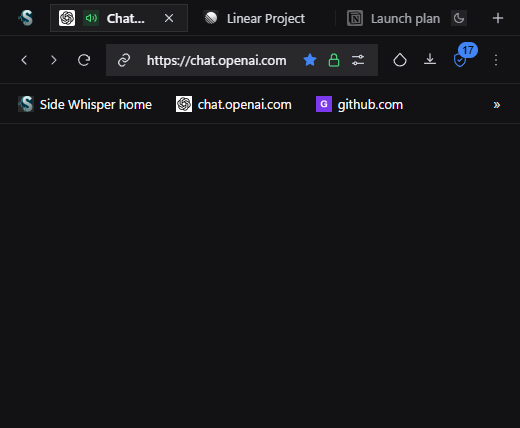
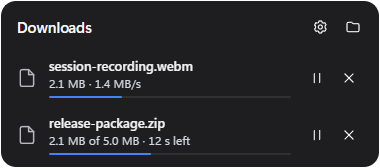
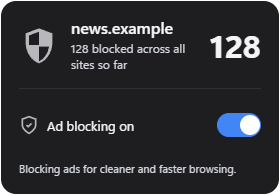
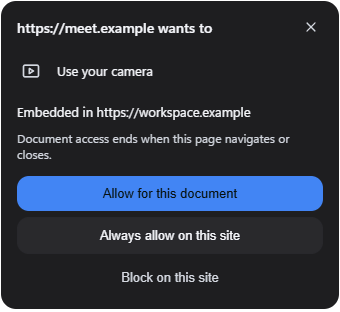
Each app gets its own tabbed browser window.
The window opens next to the sidebar with the tools a web app needs. Sites keep their own light or dark look; Side Whisper never restyles them.


03 — QUICK SEARCH
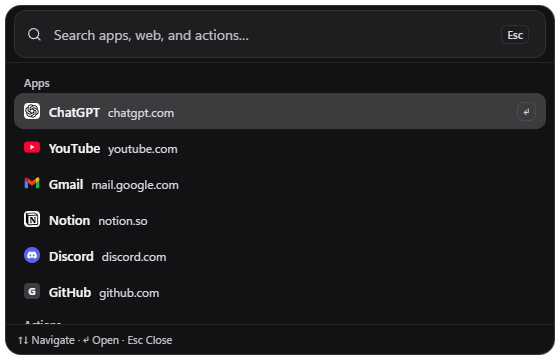
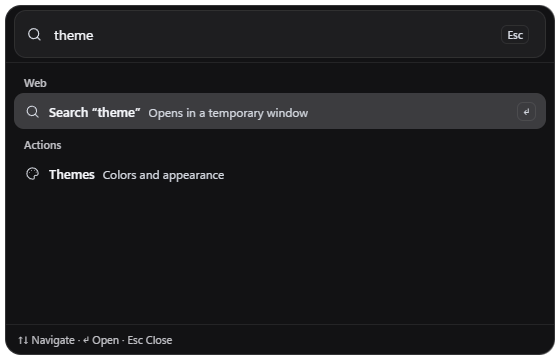
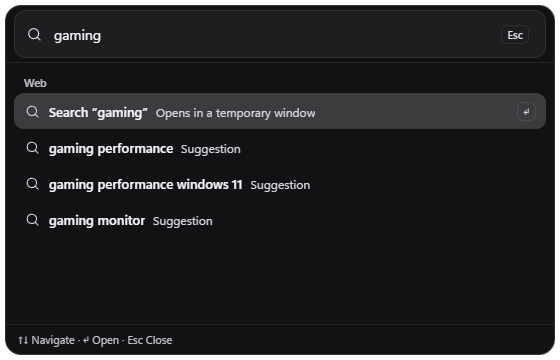
Apps, the web and actions in one launcher.
Open a saved app, search the web or jump to Settings. A web result opens in a temporary window; Keep in sidebar saves it with one click.
04 — WINDOW MODES
Five window modes, one of them for games.
A mode decides how Side Whisper shares the screen with everything else. All five are free.
| Mode | What it does |
|---|---|
| Productivity | Normal Windows stacking. |
| Productivity On Top | Side Whisper windows stay above other apps. |
| Gaming View | Stays above a borderless game and lets your clicks pass straight through to it. |
| Gaming Interact | Click Side Whisper controls without taking focus from the game. |
| Gaming Focus | Keyboard and mouse go to Side Whisper, for typing, signing in or searching. |
Limits Exclusive fullscreen and some anti-cheat titles can block overlays. Side Whisper suggests Borderless windowed when a fullscreen game would hide it.
05 — ALSO BUILT IN
It types for you, and it knows when you’re playing.
Three tools that live in the same sidebar, each with its own page.
Offline dictation
Press Alt+A, talk, and the text lands wherever your cursor is. The speech models run on your PC; your voice is never uploaded.
A performance HUD for games Pro
FPS, CPU, GPU and RAM, plus temperatures when your hardware reports them, in the browser toolbar or as a click-through overlay. Per-game profiles switch the window mode and opacity when a game takes focus.
Panic button
One key mutes the tabs and covers what you were doing with a safe page of your choice. Press it again to bring everything back.
06 — TEMPLATES AND THEMES
Start from a setup. Match the look.
Templates change what is on the sidebar. Themes change how the sidebar, menus, Settings and browser windows look.
Templates
Five built-in setups: AI Workbench, Gaming Overlay, Streamer Desk, Support Shift and Study Desk. A template shows what it adds before you apply it, and Undo puts the sidebar back.
- Save your sidebar as a template of your own, or start from an empty one.
- Open Templates with Ctrl+Alt+Shift+O.
- Free keeps 3 templates of your own. Pro keeps any number, adds template shortcuts and export, and backs up the whole library to a JSON file.
Themes
Dark, Light and Auto, which follows Windows, each keep their own preset. Nine presets are built in, from Graphite and Nord Frost to Paper and OLED.
- With Pro, Quick Theme builds a whole palette from one accent color.
- One corner radius slider, from 0 to 28 px, shapes the sidebar, menus and browser windows.
- Free keeps 3 themes of your own and imports theme files. Pro adds OLED themes, keeps any number and exports them.
THE WEB, WITHIN REACH
Keep the web close.
Keep your attention yours.
- Free, no time limit
- No account needed
- Windows 10 and 11