

Borderless windowed
Side Whisper suggests it when a fullscreen game would hide the overlay. The suggestion is a heuristic, not exclusive-fullscreen detection.
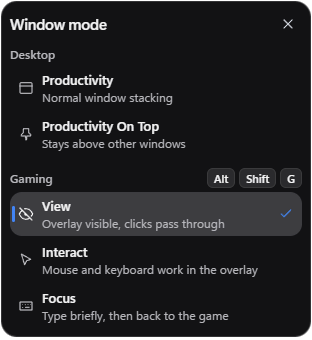
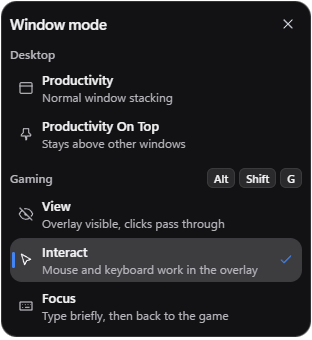
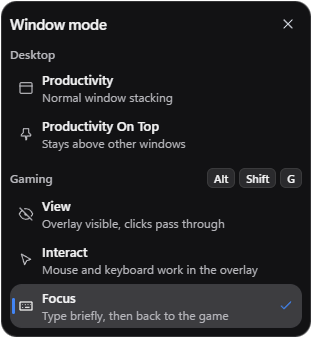
Keep Discord, YouTube or a guide open over your game on Windows. Side Whisper stays on top, and you decide who gets the mouse and keyboard with View, Interact and Focus.
01 — INPUT OWNERSHIP
Pick a mode and the scene shows what happens to the mouse and keyboard. All three are in the Free plan.


02 — WHY IT MATTERS
Login popups, payment windows and text fields need the keyboard. In Focus mode, Side Whisper gives them real keyboard focus, and the game does not take it back while you type.
03 — QUICK SEARCH
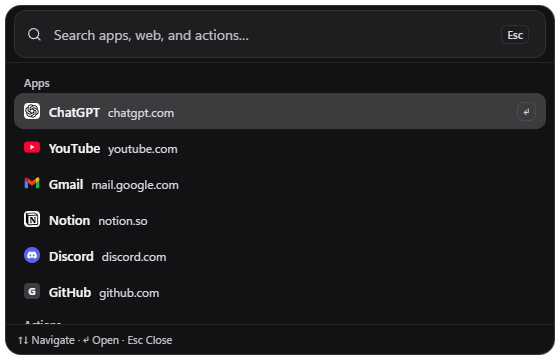
Give Quick Search a shortcut in Settings and it opens beside the rail, over your game, even in Gaming View, where its rail tile is off.
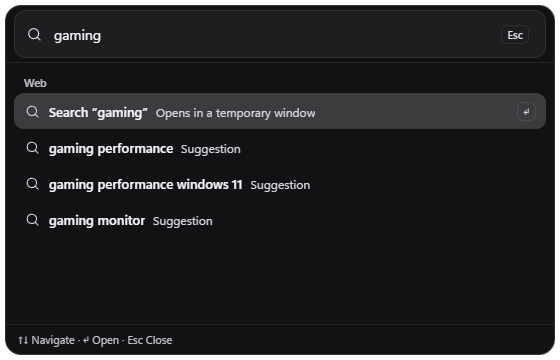
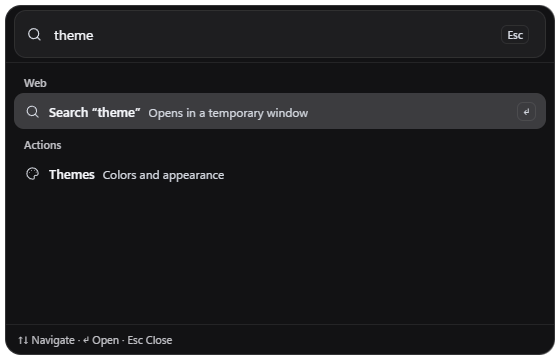
Type, move through the results with the arrow keys, press Enter and get back to the game.
A web result opens in a temporary window and stays out of your sidebar until you click Keep in sidebar.
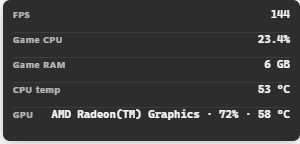
04 — PERFORMANCE HUD
Pro The HUD is part of Pro.
FPS comes from Intel PresentMon for the game you are playing. CPU, RAM and GPU match what Windows reports. Temperatures show only when your sensors report them. Read how the HUD works.
Intel PresentMon, for the game you are playing
The game, Side Whisper and the whole system
The game, Side Whisper and the whole system
The game’s adapter in Windows GPU Engine, including a real 0%
THREE LAYOUTS
ColumnOne reading per line, with its label.
InlineEvery reading on one line. Long lines fit themselves to the screen.

MinimalThe values alone, for the smallest footprint.

Each layout can sit in the browser toolbar or float over the game as a click-through overlay, at the left or right edge of the screen. You choose which readings it shows.
GAME PROFILES Pro
A profile saves the Window mode, the overlay opacity and the HUD visibility for one game, and applies them when that game is in front. Side Whisper stores a hash of the game path, not the path itself.
05 — COMPATIBILITY
Side Whisper suggests it when a fullscreen game would hide the overlay. The suggestion is a heuristic, not exclusive-fullscreen detection.
Choose the monitor, the side, the position and the overlay opacity.
Some titles can block overlays, focus changes or capture.
FPS, GPU and temperature values that are not available stay unavailable.
Tip If a fullscreen game hides the overlay, switch the game to Borderless windowed in its video settings.
More in the Gaming guide.
Some anti-cheat titles block overlays, focus changes or capture, and Side Whisper cannot override that. Try your game in Borderless windowed mode first, and keep to the rules of the game you play.
Not reliably. Exclusive fullscreen can hide overlays. Side Whisper suggests Borderless windowed when a fullscreen game would hide it. That suggestion is a heuristic, not exclusive-fullscreen detection.
Side Whisper makes no FPS promises. While Gaming is on, inactive browser windows and tabs are throttled by default. Turn off Reduce overlay GPU use in Gaming, under Settings, Advanced, Performance, to let them run.
Yes. In Focus mode, login, payment and other site popups keep keyboard focus. Toggle Focus with Alt+Shift+F.
No. View, Interact and Focus are in the Free plan. Pro adds the performance HUD and per-game profiles.
Nowhere. FPS, CPU, RAM and GPU values are read on your PC and stay on it.
READY TO PLAY
